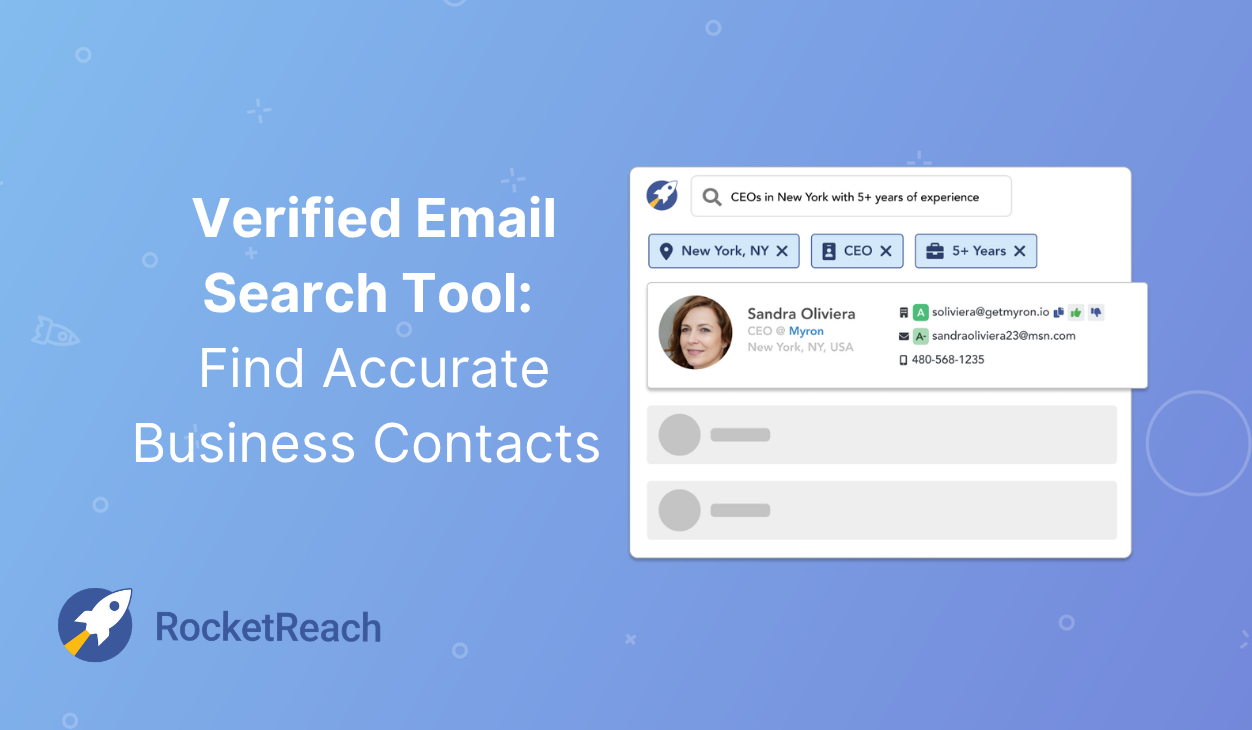
Finding the right person’s email address used to mean guessing formats, scouring LinkedIn, or hoping someone would forward your message. A professional email finder eliminates that friction by searching verified databases and returning business contact information in seconds.
This guide covers how email finders work, the features that matter most, and how to turn contact data into actual conversations with decision-makers.
What is a professional email finder
A professional email finder is a tool that locates business email addresses by searching databases of professional profiles. You type in someone’s name and their company, and the tool returns their work email, often in just a few seconds. Think of it as a search engine built specifically for business contact information.
The underlying technology pulls from multiple data sources: company websites, public directories, professional networks, and verified business records. Rather than guessing email formats or hunting through LinkedIn hoping for a response, you get direct access to the inbox of the person you’re trying to reach.
Most email finders also verify the addresses they return. Verification checks whether an email is active and can receive messages, which matters because sending to invalid addresses hurts your sender reputation and wastes your time.
How to find an email address in seconds
The process is surprisingly simple once you know what information to provide. Here’s how it typically works.
1. Enter a name and company domain
Start with the person’s full name and their company’s website domain. So if you’re looking for someone at Acme Corporation, you’d enter their name along with “acme.com.” This combination gives the tool enough context to find the right person among potentially thousands of employees.
Some tools also accept LinkedIn profile URLs, which can be helpful when you’re prospecting directly from social profiles.
2. Search the contact database
Once you submit your query, the tool searches its database for matching profiles. RocketReach, for example, searches across 700M+ professional profiles and 60M companies worldwide. The search happens almost instantly so you’re typically looking at results within two to three seconds.
3. Get verified email results
Results come back with the email address and a confidence score. This score tells you how likely the email is to be deliverable. RocketReach grades emails from A to F, with A-grade emails showing 98% deliverability. Higher grades mean you can reach out with confidence; lower grades suggest you might want to verify further before sending.
Professional email finder features
Different tools offer different capabilities. Here are the features that tend to matter most for day-to-day prospecting.
Real-time email verification
Verification happens automatically when you search. The tool checks three things: whether the email format is valid, whether the company’s email server exists, and whether the specific mailbox is active. Without this step, you’re essentially guessing and bad guesses lead to bounced emails and damaged sender reputation.
Bulk email search
When you have a list of prospects rather than a single contact, bulk search saves hours of manual work. You upload a spreadsheet with names and companies, and the tool returns matched email addresses for the entire list. What might take days of individual lookups happens in minutes.
Browser extension for instant lookup
A browser extension brings email finding into your normal workflow. While you’re browsing LinkedIn or a company’s website, you can pull up contact information without switching tabs or copying data between tools. RocketReach’s extension loads 84% faster than alternatives, which adds up when you’re researching dozens of prospects.
Email finder API for scale
An API lets developers build email finding directly into other applications. Sales teams often use APIs to automatically enrich new leads as they enter the CRM. Product teams embed contact discovery into their own platforms. If you’re working at scale or building custom workflows, API access opens up possibilities that manual searching can’t match.
| Feature | Best for | What it does |
| Single search | Quick lookups | Finds one contact at a time |
| Bulk search | List building | Processes hundreds of contacts at once |
| Browser extension | Real-time prospecting | Works while you browse LinkedIn or websites |
| API access | Automation | Embeds email finding into other tools |
Who uses professional email finder tools
The use cases span pretty much any role that involves reaching out to business contacts.
Sales and business development teams
Sales reps use email finders to locate decision-makers at target accounts. Instead of waiting for inbound leads or hoping someone responds to a LinkedIn connection request, they can build targeted prospect lists and start outreach the same day.
Recruiters and talent acquisition
Recruiters often find candidates who aren’t responding on LinkedIn or job boards. An email finder provides an alternative channel; sometimes, the only way to reach passive candidates who’ve tuned out recruiter messages on social platforms.
Marketing and demand generation
Marketing teams build contact lists for outbound campaigns, account-based marketing programs, and event invitations. Accurate email data means higher deliverability and better campaign performance across the board.
Founders and entrepreneurs
Founders reaching out to investors, potential partners, or early customers rarely have warm introductions to work with. An email finder helps them connect directly with people who can move their business forward.
How to verify professional email addresses
Verification is what separates reliable contact data from educated guessing. When an email finder verifies an address, it checks three things:
- Valid format: The email follows correct syntax (name@company.com)
- Active domain: The company’s email server exists and accepts incoming mail
- Deliverable mailbox: The specific address is active and receiving messages
Quality email finders include verification as part of the search results. You’ll see a confidence score or letter grade that tells you how likely the email is to work. Focus your outreach on the highest-rated addresses first—this protects your sender reputation by maintaining bounce rates under 1% and improves your response rates.
Tip: A-grade verified emails have the highest deliverability. Starting with these contacts gives you the best chance of landing in the inbox rather than bouncing.
What to do after you find email addresses
Finding contact information is the starting point. What happens next determines whether that data actually turns into conversations.
Send personalized email sequences
Generic messages get ignored. Personalized emails see 30.5% higher response rates. The professional context you gathered during your search (job title, company, industry) gives you material for relevant outreach. Mentioning something specific about their role or company dramatically improves response rates compared to templated mass emails.
Automate follow-up messages
Most replies come after the second or third email, not the first. Setting up automated follow-up sequences keeps you persistent without requiring manual tracking of who still needs another touchpoint—sequences with 4-7 follow-ups achieve 33% reply rates compared to 25% for 1-3 follow-ups. RocketReach Messages lets you schedule Day 3 and Day 7 follow-ups automatically, so opportunities don’t slip through the cracks.
Track opens and replies
Engagement tracking shows which emails get opened and who responds. This data helps you refine your messaging over time, identify interested prospects quickly, and focus your energy on contacts showing buying signals rather than chasing cold leads.
Schedule a Demo to see how RocketReach combines contact discovery with built-in outreach tools.
How to integrate an email finder with your workflow
The best email finder fits into your existing tech stack rather than creating another data silo that requires manual exports and imports.
CRM integrations
Direct connections to Salesforce, HubSpot, and other CRMs push contacts into your system without manual data entry. Your records stay current, and you eliminate the copy-paste workflow that slows teams down and introduces errors.
Sales engagement platforms
Integrations with Outreach, Salesloft, and similar tools let you move from finding an email to launching a sequence in one motion. The contact flows directly into your engagement platform, ready for outreach without any intermediate steps.
API and custom workflows
For teams with specific requirements, API access enables custom integrations. You might automatically enrich every new lead that enters your system, trigger contact lookups based on website visits, or build email finding into a proprietary application. The flexibility depends on your technical resources and what you’re trying to accomplish.
Find the right business contacts with RocketReach
RocketReach combines verified contact data with built-in outreach tools, so you can go from search to sent email without switching platforms. With 700M+ profiles, 90–98% email deliverability on verified contacts, and integrations with the tools you already use, it’s trusted by 95% of the S&P 500 and over 30 million users worldwide.
Try it yourself with a free account.
FAQs about professional email finder tools
What information do I need to find an email address?
You typically provide the person’s full name and their company name or domain. Some tools can also search using just a LinkedIn URL or company website, which is helpful when you’re prospecting directly from social profiles.
Is a professional email finder free to use?
Most tools offer limited free searches so you can test functionality before committing. Paid plans unlock higher volume, bulk search, API access, and additional features like browser extensions.
What happens if an email finder returns multiple results?
When multiple email formats exist for a contact, quality tools display confidence scores for each option. Choose the address with the highest deliverability rating to maximize your chances of reaching the inbox.
Is search data stored or shared by email finder tools?
Reputable providers like RocketReach do not share your search queries with third parties. Your prospecting activity remains private.
How many emails can I find per month with an email finder?
Monthly limits depend on your plan. Free tiers typically offer 5–50 lookups, while paid subscriptions provide hundreds, thousands, or unlimited searches based on your needs.
What industries have the best email coverage in professional databases?
Technology, finance, healthcare, and legal industries typically have strong coverage. RocketReach maintains broad global data across sectors, with particularly deep coverage in healthcare (including NPI data), legal, and technology.